Why This Matters
You have microservices. Something is slow. A user reports an error. Your first instinct is to open logs. But which service? Which instance? The request touched four services before it failed. Each one logged something, but none of them are connected.
This is the problem observability solves. Not with more logs. With three signals working together: logs tell you what happened, traces tell you where it happened across services, and metrics tell you how often and how bad.
Before we write code, this Fireship video explains the Grafana/Loki stack better than I can in text:
What We’re Building
By the end of this post, you’ll have:
- A Turborepo monorepo with two Node.js services
- A shared
@repo/observabilitypackage that any service can import - Structured logs flowing into Loki
- Distributed traces flowing into Tempo
- Metrics flowing into Prometheus
- Grafana dashboards querying all three
- OpenTelemetry connecting everything
Everything runs locally with Docker. No cloud accounts, no SaaS, no credit cards.
Step 1: Create the Monorepo
Start from scratch. We’ll use Turborepo with a minimal setup:
npx create-turbo@latest observability-demo
cd observability-demo
pnpm dlx create-turbo@latest observability-demo
cd observability-demobunx create-turbo@latest observability-demo
cd observability-demoClean out the default apps and create our structure:
apps/
├── user-service/
└── order-service/
packages/
└── observability/
infra/
├── docker-compose.yml
├── otel-collector/
│   └── config.yaml
├── prometheus/
│   └── prometheus.yml
└── grafana/
  └── provisioning/
      └── datasources/
          └── datasources.yaml
Create the directories:
mkdir -p apps/user-service/src apps/order-service/src
mkdir -p packages/observability/src
mkdir -p infra/otel-collector infra/prometheus infra/grafana/provisioning/datasources
Step 2: Build Two Services
We need real services that talk to each other. The user service will call the order service. This gives us inter-service communication to trace.
Install Express in both services:
cd apps/user-service && npm init -y && npm install express
cd ../order-service && npm init -y && npm install express
cd apps/user-service && pnpm init && pnpm add express
cd ../order-service && pnpm init && pnpm add expresscd apps/user-service && bun init && bun add express
cd ../order-service && bun init && bun add expressimport express from 'express'
const app = express()
const ORDER_SERVICE_URL = process.env.ORDER_SERVICE_URL ?? 'http://localhost:3002'
app.get('/users/:id', async (req, res) => {
const userId = req.params.id
// Call order service to get this user's orders
const ordersResponse = await fetch(`${ORDER_SERVICE_URL}/orders?userId=${userId}`)
const orders = await ordersResponse.json()
res.json({
id: userId,
name: `User ${userId}`,
orders,
})
})
app.listen(3001, () => console.log('user-service listening on :3001'))import express from 'express'
const app = express()
app.get('/orders', (req, res) => {
const userId = req.query.userId
// Simulate some work
const orders = [
{ id: 1, userId, product: 'Keyboard', total: 89.99 },
{ id: 2, userId, product: 'Monitor', total: 349.99 },
]
res.json(orders)
})
app.listen(3002, () => console.log('order-service listening on :3002'))At this point we have two services that work together. But if the order service is slow or fails, we have no way to see why. Let’s fix that.
Step 3: Spin Up the Observability Stack
This is the infrastructure layer. Five containers that receive, store, and visualize our telemetry data.
services:
  otel-collector:
    image: otel/opentelemetry-collector-contrib
    volumes:
      - ./otel-collector/config.yaml:/etc/otelcol/config.yaml
    ports:
      - "4317:4317"
      - "4318:4318"

  loki:
    image: grafana/loki:latest
    ports:
      - "3100:3100"
    command: -config.file=/etc/loki/local-config.yaml

  tempo:
    image: grafana/tempo:latest
    ports:
      - "3200:3200"
    volumes:
      - ./tempo/config.yaml:/etc/tempo/config.yaml
    command: -config.file=/etc/tempo/config.yaml

  prometheus:
    image: prom/prometheus:latest
    volumes:
      - ./prometheus/prometheus.yml:/etc/prometheus/prometheus.yml
    ports:
      - "9090:9090"

  grafana:
    image: grafana/grafana:latest
    ports:
      - "3000:3000"
    environment:
      - GF_AUTH_ANONYMOUS_ENABLED=true
      - GF_AUTH_ANONYMOUS_ORG_ROLE=Admin
    volumes:
      - ./grafana/provisioning:/etc/grafana/provisioning
    depends_on:
      - loki
      - tempo
      - prometheus
Each highlighted service has a specific role. The OTel Collector is the single entry point. It receives all telemetry from your services and routes it to the right backend. Loki stores logs. Tempo stores traces. Prometheus stores metrics. Grafana queries all three.
Now configure the Collector to route each signal type:
receivers:
  otlp:
    protocols:
      grpc:
        endpoint: 0.0.0.0:4317
      http:
        endpoint: 0.0.0.0:4318

processors:
  batch:
    timeout: 5s

exporters:
  otlphttp/tempo:
    endpoint: http://tempo:4318
  prometheusremotewrite:
    endpoint: http://prometheus:9090/api/v1/write
  loki:
    endpoint: http://loki:3100/loki/api/v1/push

service:
  pipelines:
    traces:
      receivers: [otlp]
      processors: [batch]
      exporters: [otlphttp/tempo]
    metrics:
      receivers: [otlp]
      processors: [batch]
      exporters: [prometheusremotewrite]
    logs:
      receivers: [otlp]
      processors: [batch]
      exporters: [loki]
Three pipelines. Each receives from OTLP (the OpenTelemetry protocol) and exports to a specific backend. The batch processor groups data to reduce network calls.
Auto-provision Grafana’s datasources so they’re ready when it starts:
apiVersion: 1
datasources:
  - name: Loki
    type: loki
    url: http://loki:3100
    isDefault: true
  - name: Tempo
    type: tempo
    url: http://tempo:3200
  - name: Prometheus
    type: prometheus
    url: http://prometheus:9090
Start everything:
$ docker compose -f infra/docker-compose.yml up -d

[+] Running 5/5
 ✔ Container otel-collector   Started
 ✔ Container loki             Started
 ✔ Container tempo            Started
 ✔ Container prometheus       Started
 ✔ Container grafana          Started
Open localhost:3000. Grafana is running. The datasources are configured. But there’s no data yet because our services aren’t instrumented. That’s the next step.
Step 4: Create the Observability Package
This is the shared package that every service will import. It sets up OpenTelemetry, creates a structured logger, and provides metric helpers. Write it once, use it everywhere.
Install the dependencies in the observability package:
npm init -y
npm install \
  @opentelemetry/sdk-node \
  @opentelemetry/exporter-trace-otlp-grpc \
  @opentelemetry/exporter-metrics-otlp-grpc \
  @opentelemetry/sdk-metrics \
  @opentelemetry/auto-instrumentations-node \
  @opentelemetry/resources \
  @opentelemetry/semantic-conventions \
  @opentelemetry/api \
  pino pino-pretty
pnpm init
pnpm add \
@opentelemetry/sdk-node \
@opentelemetry/exporter-trace-otlp-grpc \
@opentelemetry/exporter-metrics-otlp-grpc \
@opentelemetry/sdk-metrics \
@opentelemetry/auto-instrumentations-node \
@opentelemetry/resources \
@opentelemetry/semantic-conventions \
@opentelemetry/api \
pino pino-prettybun init
bun add \
@opentelemetry/sdk-node \
@opentelemetry/exporter-trace-otlp-grpc \
@opentelemetry/exporter-metrics-otlp-grpc \
@opentelemetry/sdk-metrics \
@opentelemetry/auto-instrumentations-node \
@opentelemetry/resources \
@opentelemetry/semantic-conventions \
@opentelemetry/api \
pino pino-prettyThat’s a lot of packages. OpenTelemetry is modular by design. Each piece does one thing. The upside is you only ship what you use. The downside is the initial setup has many imports. This is why we wrap it in a shared package.
Now write the three modules. First, the tracer. This must initialize before anything else in your services:
import { NodeSDK } from '@opentelemetry/sdk-node'
import { OTLPTraceExporter } from '@opentelemetry/exporter-trace-otlp-grpc'
import { OTLPMetricExporter } from '@opentelemetry/exporter-metrics-otlp-grpc'
import { PeriodicExportingMetricReader } from '@opentelemetry/sdk-metrics'
import { getNodeAutoInstrumentations } from '@opentelemetry/auto-instrumentations-node'
import { Resource } from '@opentelemetry/resources'
import { ATTR_SERVICE_NAME } from '@opentelemetry/semantic-conventions'

const collectorEndpoint = process.env.OTEL_EXPORTER_OTLP_ENDPOINT ?? 'http://localhost:4317'

export const initTelemetry = (serviceName: string) => {
  const sdk = new NodeSDK({
    resource: new Resource({
      [ATTR_SERVICE_NAME]: serviceName,
    }),
    traceExporter: new OTLPTraceExporter({ url: collectorEndpoint }),
    metricReader: new PeriodicExportingMetricReader({
      exporter: new OTLPMetricExporter({ url: collectorEndpoint }),
      exportIntervalMillis: 15000,
    }),
    instrumentations: [
      getNodeAutoInstrumentations({
        '@opentelemetry/instrumentation-http': { enabled: true },
        '@opentelemetry/instrumentation-express': { enabled: true },
        '@opentelemetry/instrumentation-pg': { enabled: true },
      }),
    ],
  })

  sdk.start()

  process.on('SIGTERM', () => {
    sdk.shutdown().then(() => process.exit(0))
  })

  return sdk
}
The highlighted getNodeAutoInstrumentations is the key. It monkey-patches http, express, and pg at import time. Every HTTP request your service makes or receives becomes a trace span automatically. Every database query becomes a child span. You don’t add any instrumentation code to your business logic.
Next, the logger. It injects trace context into every log line so you can jump from a log entry in Loki to the full trace in Tempo:
import pino from 'pino'
import { trace, context } from '@opentelemetry/api'

export const createLogger = (serviceName: string) => {
  return pino({
    level: process.env.LOG_LEVEL ?? 'info',
    formatters: {
      log(object) {
        const span = trace.getSpan(context.active())
        if (span) {
          const spanContext = span.spanContext()
          return {
            ...object,
            traceId: spanContext.traceId,
            spanId: spanContext.spanId,
            service: serviceName,
          }
        }
        return { ...object, service: serviceName }
      },
    },
    transport: process.env.NODE_ENV !== 'production'
      ? { target: 'pino-pretty' }
      : undefined,
  })
}
The highlighted lines are the bridge between logs and traces. Every log entry carries the traceId and spanId from the current OpenTelemetry context. In Grafana, you click a trace ID in Loki and it opens the exact trace in Tempo. No more manual correlation. No more guessing which log belongs to which request.
Finally, the metrics helper:
import { metrics } from '@opentelemetry/api'

export const createMetrics = (serviceName: string) => {
  const meter = metrics.getMeter(serviceName)

  return {
    requestDuration: meter.createHistogram('http_request_duration_ms', {
      description: 'HTTP request duration in milliseconds',
      unit: 'ms',
    }),
    requestCounter: meter.createCounter('http_requests_total', {
      description: 'Total HTTP requests',
    }),
  }
}
Export everything from the package:
export { initTelemetry } from './tracer'
export { createLogger } from './logger'
export { createMetrics } from './metrics'
Step 5: Instrument the Services
Now we connect the dots. Each service imports the observability package and initializes it before anything else.
This is the critical part: the tracer must initialize before you import Express or any HTTP module. The auto-instrumentations work by patching modules at require time. If Express loads before the tracer, no spans get created.
import { initTelemetry, createLogger, createMetrics } from '@repo/observability'

const sdk = initTelemetry('user-service')
const logger = createLogger('user-service')
const metrics = createMetrics('user-service')

// Express imports AFTER telemetry init
import express from 'express'

const app = express()
const ORDER_SERVICE_URL = process.env.ORDER_SERVICE_URL ?? 'http://localhost:3002'

// Middleware: measure every request
app.use((req, res, next) => {
  const start = Date.now()
  metrics.requestCounter.add(1, { method: req.method, path: req.path })

  res.on('finish', () => {
    metrics.requestDuration.record(Date.now() - start, {
      method: req.method,
      path: req.path,
      status: String(res.statusCode),
    })
  })

  next()
})

app.get('/users/:id', async (req, res) => {
  const userId = req.params.id
  logger.info({ userId }, 'fetching user and their orders')

  // This fetch is automatically traced!
  // OpenTelemetry creates a child span and propagates the trace context
  const ordersResponse = await fetch(`${ORDER_SERVICE_URL}/orders?userId=${userId}`)
  const orders = await ordersResponse.json()

  logger.info({ userId, orderCount: orders.length }, 'user fetched successfully')

  res.json({ id: userId, name: `User ${userId}`, orders })
})

app.listen(3001, () => logger.info('user-service listening on :3001'))
Do the same for the order service:
import { initTelemetry, createLogger, createMetrics } from '@repo/observability'

const sdk = initTelemetry('order-service')
const logger = createLogger('order-service')
const metrics = createMetrics('order-service')

import express from 'express'

const app = express()

app.use((req, res, next) => {
  const start = Date.now()
  metrics.requestCounter.add(1, { method: req.method, path: req.path })
  res.on('finish', () => {
    metrics.requestDuration.record(Date.now() - start, {
      method: req.method,
      path: req.path,
      status: String(res.statusCode),
    })
  })
  next()
})

app.get('/orders', (req, res) => {
  const userId = req.query.userId
  logger.info({ userId }, 'fetching orders for user')

  const orders = [
    { id: 1, userId, product: 'Keyboard', total: 89.99 },
    { id: 2, userId, product: 'Monitor', total: 349.99 },
  ]

  logger.info({ userId, count: orders.length }, 'orders fetched')
  res.json(orders)
})

app.listen(3002, () => logger.info('order-service listening on :3002'))
Step 6: Connect Grafana
Start both services and make a request:
$ curl http://localhost:3001/users/42

{
  "id": "42",
  "name": "User 42",
  "orders": [
    { "id": 1, "userId": "42", "product": "Keyboard", "total": 89.99 },
    { "id": 2, "userId": "42", "product": "Monitor", "total": 349.99 }
  ]
}
That single request generated:
- Two trace spans in Tempo: one for the user-service handling the request, one for the order-service handling the downstream call. Both linked by the same trace ID.
- Four log entries in Loki: two from each service, all carrying the trace ID.
- Four metric data points in Prometheus: request count and duration for each service.
Open Grafana at localhost:3000. Go to Explore, select Loki, and search for {service="user-service"}. You’ll see structured JSON logs. Click any log entry’s traceId field. Grafana opens the full distributed trace in Tempo.
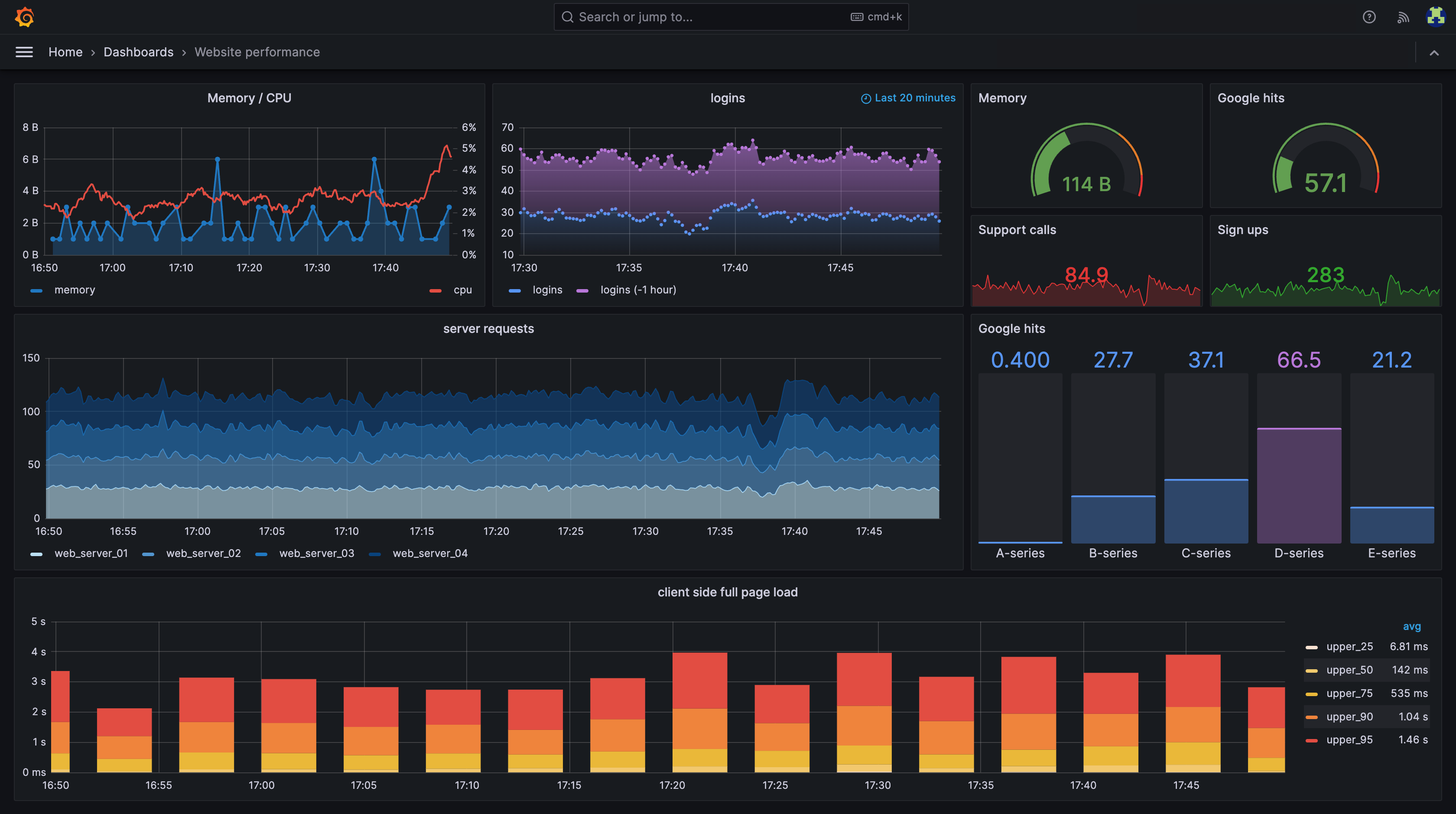
That’s it. Logs, traces, and metrics are connected.
Step 7: Trace a Request Across Services
This is where observability becomes powerful. In Tempo, open a trace from the /users/:id endpoint. You’ll see something like this:
user-service: GET /users/42 ─────────────────────────────── 45ms
  └── order-service: GET /orders?userId=42 ──────────── 12ms
The trace shows you that the user-service spent 45ms total, and 12ms of that was waiting for the order-service. The remaining 33ms was the user-service’s own work plus network latency.
If the order-service was slow, you’d see it immediately. If a database query inside the order-service took too long, you’d see that as a child span. No guessing. No grep. The data tells you exactly where the time went.
The trace context propagation happens automatically. When the user-service calls fetch(), OpenTelemetry injects a traceparent header. The order-service’s instrumentation reads it and creates a child span under the same trace. You never write a single line of propagation code.
Lessons Learned
After running this setup across multiple projects, a few things I wish I knew from the start:
Start with traces, not logs. Traces give you structure. They show you the shape of a request across your system. Logs fill in the details within each span. If you can only set up one thing first, make it tracing.
Don’t skip the OTel Collector. It’s tempting to send data directly from services to backends. The Collector gives you a single routing layer. When you switch from self-hosted Grafana to Datadog or New Relic, you change the Collector config and your application code stays the same.
Keep metric cardinality low. Label by HTTP method and status code. Don’t label by user ID or request path with dynamic segments. High cardinality kills Prometheus.
The import order matters. If your traces aren’t showing up, check that initTelemetry() runs before Express or any HTTP module loads. The auto-instrumentation patches modules at require time. Wrong order means zero spans.
Make the observability package opinionated. Don’t give services options for log formats or metric names. Standardize everything in the shared package. Consistency across services is more valuable than flexibility within one.